
Astrix Live Beta
Measure real skills in
real meetings.
Astrix Live scores your own contribution in real meetings against your skills framework, then links straight to simulations to practise what slipped. Works with every meeting app.
Windows SmartScreen may temporarily flag the installer whilst we're in Beta. Choose More info, then Run anyway.
On a Mac? Download for Apple Silicon or Intel.
Apple Silicon is any M-series Mac (M1 onwards). Not sure? Apple menu › About This Mac shows the chip.
Using Windows? Download the app or get it from the Microsoft Store.
🔊 Watch with sound.
Key features
Everything you need to grow from your everyday meetings.
Only you get scored
Speaker separation means Astrix rates your contribution and nobody else's. Everyone else stays an unnamed speaker.
Score real meetings with industry-leading tools
Measured against your own framework, with our verbal and non-verbal AI tools.
Captures from your desktop, not from inside the call
No bot joins your call. Before capture begins, Astrix asks you to confirm that everyone has been informed, plays a voice notice to the room, or both.
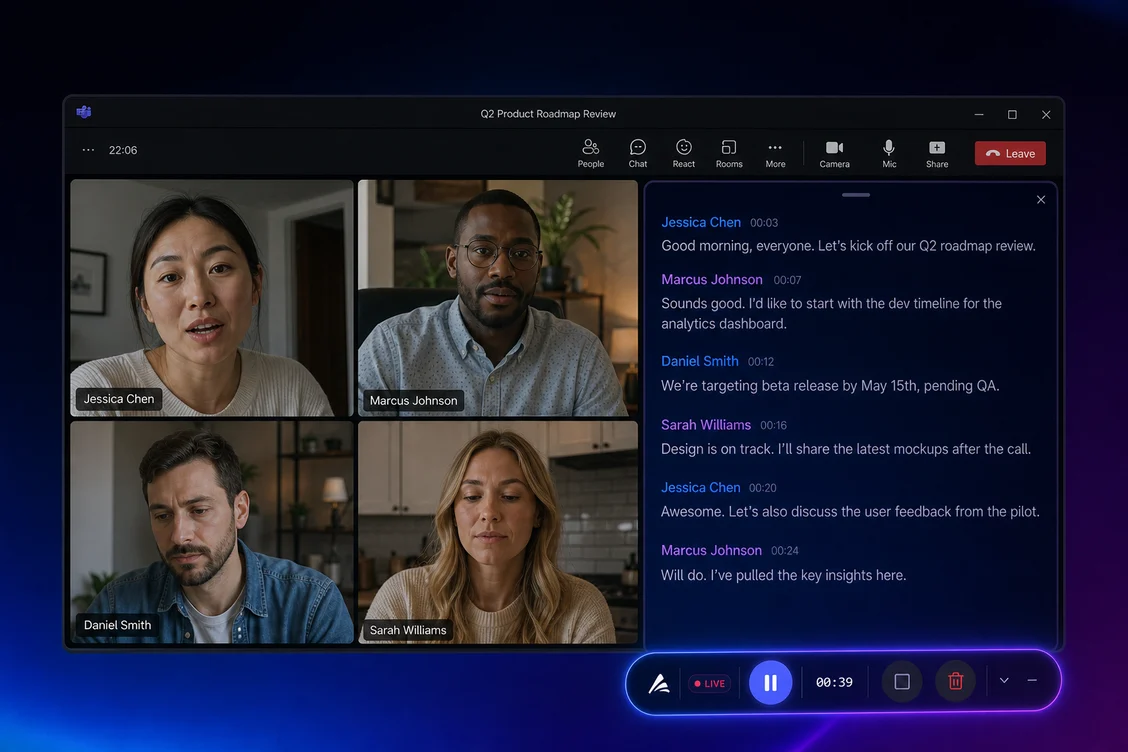
Works with every meeting app
Zoom, Meet and Teams — Astrix scores your side of the conversation.
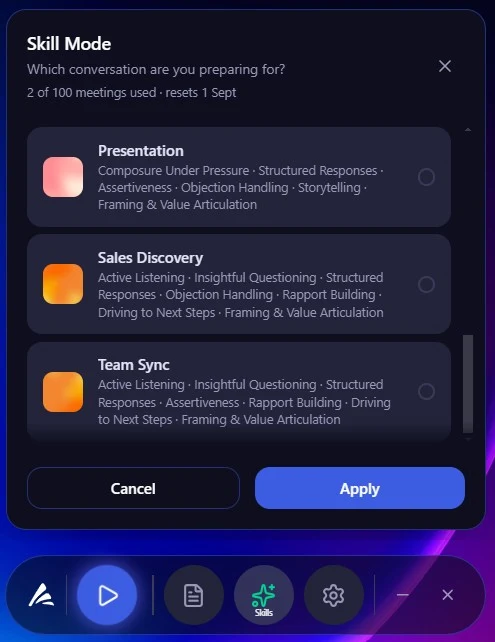
Skill Mode
Tell it what you're walking into.
Pick the conversation you're preparing for: interview, client-facing check-in, discovery call, presentation, and many others. Astrix will tailor the skills which matter for that moment.
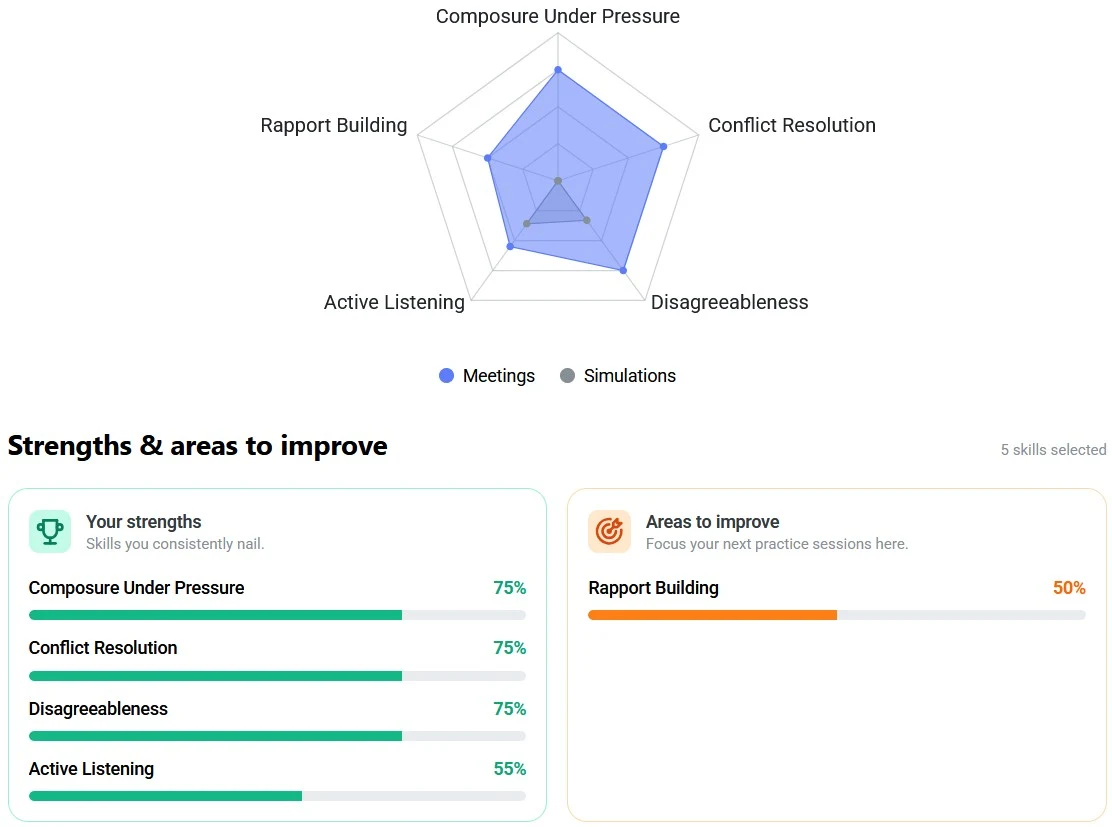
Your report
See how you led and the evidence to improve it.
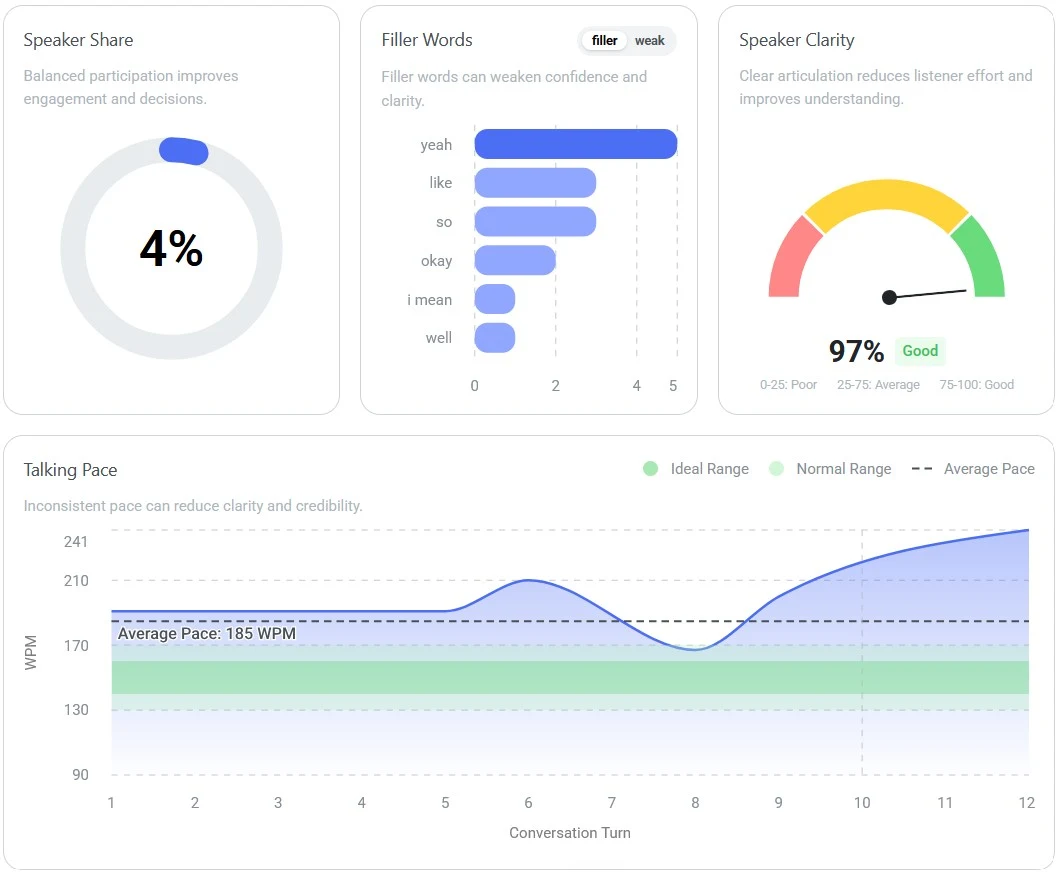
Every finished meeting showcases rich results, clarifying your roadmap in realtime. The full, speaker-labelled transcript, is also available for further analysis.
INSTANT SCORECARDS
SPEECH DELIVERY + OTHER NON VERBAL METRICS
The Astrix loop
Measure in real life, practise in simulation, repeat.
Most tools stop at a transcript. Astrix connects your real meetings to deliberate practice, the same skills, the same framework, on both sides of the loop.
Measure the real thing
Record an actual meeting and get a scorecard: where you led well, and where a competency slipped.
Practise the gap
Step into an AI roleplay that targets exactly that skill, as often as you like, then bring it back to your next real meeting.
Privacy & security
Consent comes first. Only you get scored.
You start recording from the desktop bar, which shows a live indicator while it runs. Before capture begins, Astrix asks you to confirm that everyone in the call has been informed, plays a voice notice to the room, or both.
Everyone else in the call appears as an unnamed speaker — Astrix never asks who they are.
Only you get scored — speaker separation means Astrix rates your contribution and nobody else's.
Astrix records two tracks on your computer: your microphone, and the call audio as it plays through your speakers. Both are sent over an encrypted connection to Astrix, stored with your transcript and score, and transcribed by our speech-to-text partner, Soniox, which does not retain them or train on them. Everyone else in the call appears as Speaker 1, Speaker 2 and so on — Astrix never asks who they are and never scores them. See Recording & consent and Security & Trust for the full detail.
In your control
You start the recording yourself, and your desktop bar shows it running the whole time. No bot joins the call, and nothing is captured until you begin.
Turn meetings into practice
Your next meeting could be your best coach.
Or download the app to try for free on Windows or Mac.